
This is part of a series of posts on how to initially configure you UCS B-Series system using UCS manager. With the information in this post, you will be able to configure the vHBAs needed for FC connectivity. Check the other posts under the Cisco section in my blog. If you are using iSCSI you can skip this step of the UCS B-Series configuration.
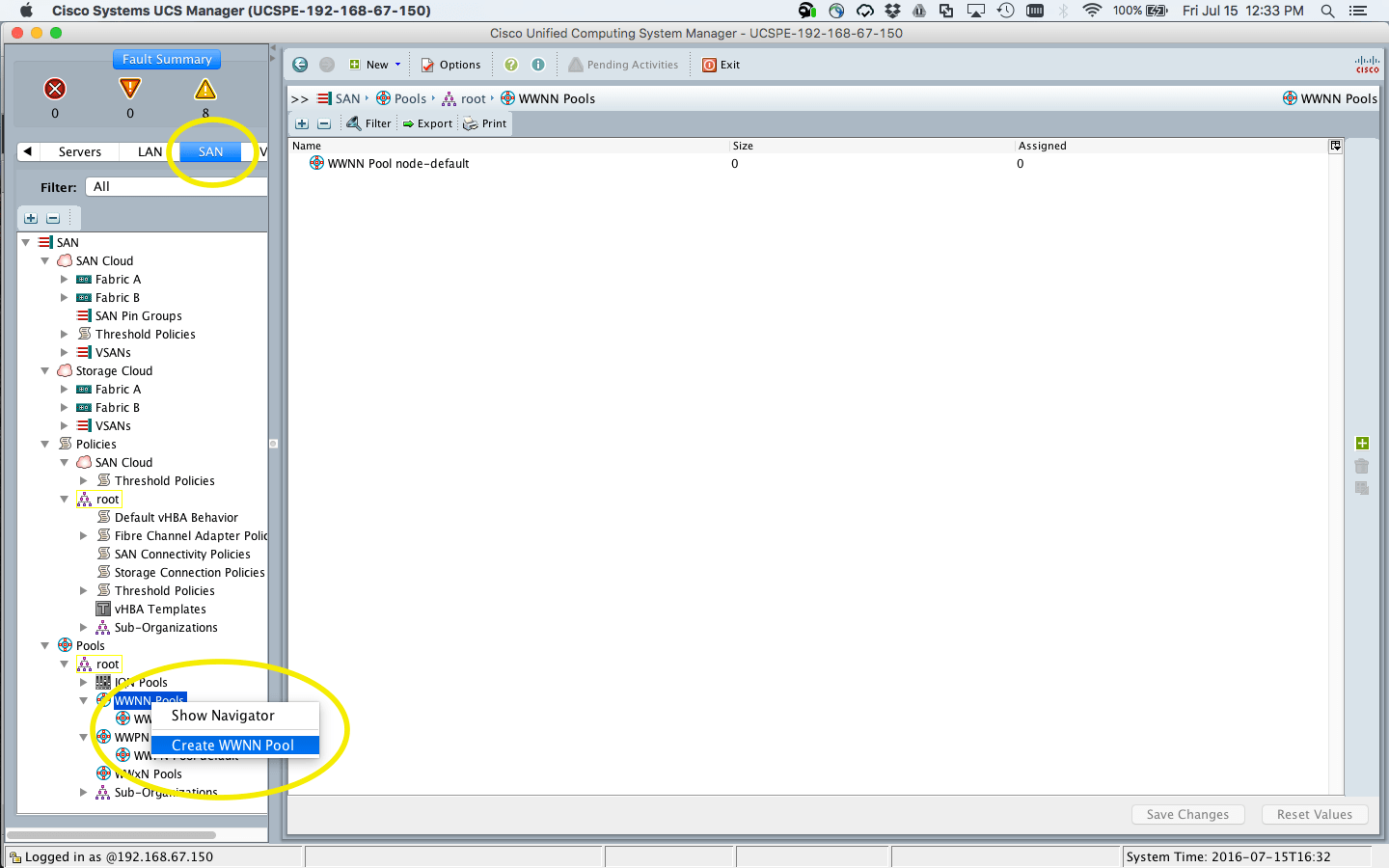
To start login into your UCS Manager, select the SAN Tab and Navigate to the Pool section. Right click on WWNN and click Create WWNN Pool
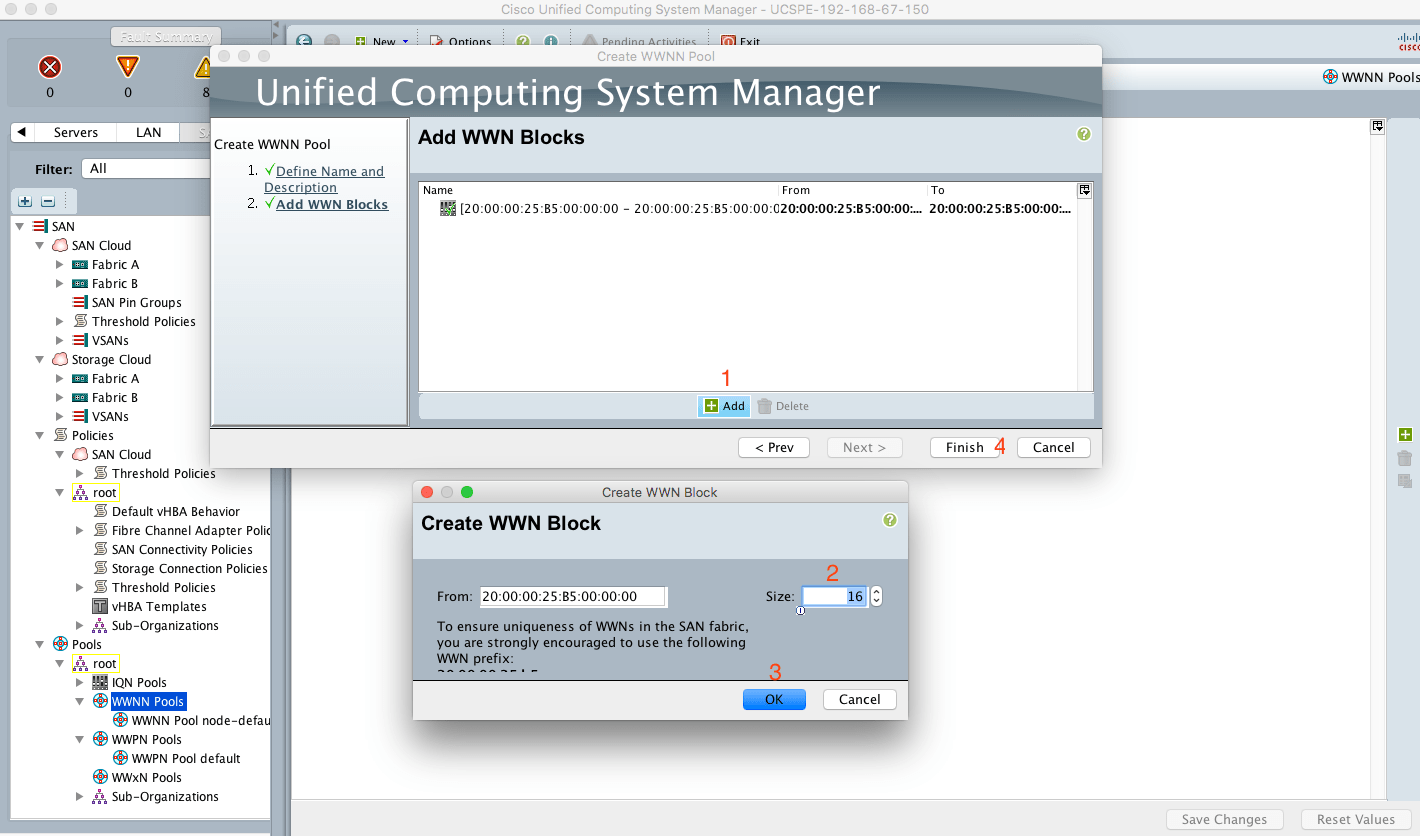
Give it a name, select Sequential and clock Next.

Now add the value for the WWNN, first click add then fill the quantity (in this case 16) and cick Ok and Finish.
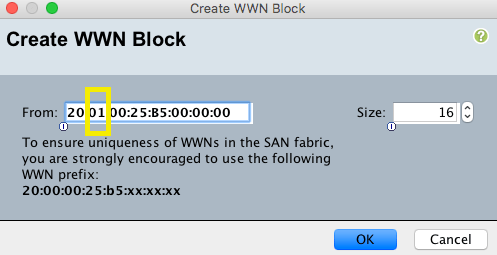
 The WWPN pool creation process is analog to the one just described, but chage one of the its on the WWN window (see below)
That’s it for this post, I am trying to keep them short to keep them coming. On the next post, I will show how to create a VLAN.



 VWannabe
Leave a comment